Addresses
When the user types in, the Autocomplete widget will execute an algorithm to infer and build a valid address and request our servers for the most accurate results.
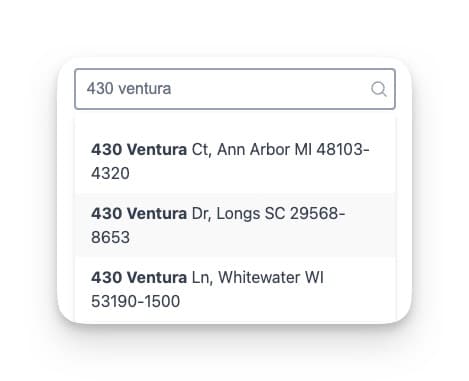
Address results types
The Autocomplete widget will return two types of addresses.
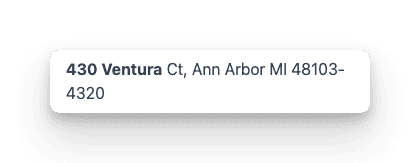
Single address
The single address result will provide a unique address for a specific unit or building.
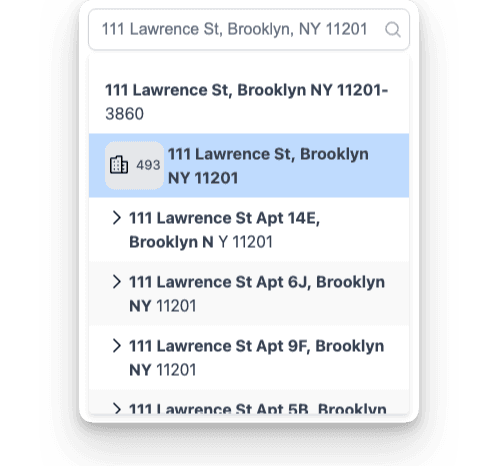
Sub building address
Adress results configuration
- Name
limit- Type
- Description
How many address results per search.
- Name
states- Type
- Description
Limit the search results by US states.
- Name
no-result-message- Type
- Description
Message to display when no results are returned
- Name
username- Type
- Description
Redirect to Agent report website if available
- Name
contact-id- Type
- Description
identify the ID of the buyer/seller making the search.
- Name
contact-first-name- Type
- Description
Identify the first name of the buyer/seller making the search.
- Name
contact-last-name- Type
- Description
Identify the last name of the buyer/seller making the search.
- Name
contact-email- Type
- Description
Identify the email of the buyer/seller making the search.
- Name
new-window- Type
- Description
Open the report URL on a new browser tab.
- Name
placeholder- Type
- Description
Default input label
<hvs-widget
 apikey="1847564823735867"
 states="TX,NY,FL"
 no-result-message="No results found"
 limit="10"
 report-url=""
 source=""
 username=""
 contact-id=""
 contact-first-name=""
 contact-last-name=""
 contact-email=""
 new-window="true"
 placeholder="Search for an address"
>
</hvs-widget>